

Step 1: Open the matter
Go to People and select the client.
Step 2: Choose Invite to portal
Check their email and preferred language.
Step 3: They accept
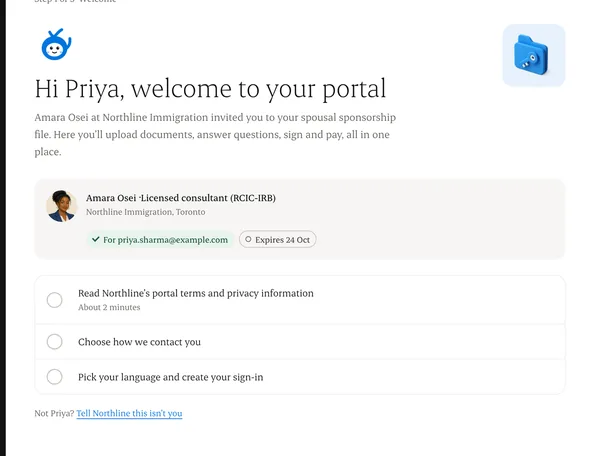
They read the portal terms and privacy information, give consent, and set a password.
Step 4: They land on Home
The first thing they see is their next step and who is working on it.
Written from the Casevoya product specification (B12, Client portal). Screens and wording may change before launch.