

Step 1: Open Settings, then Enquiry form
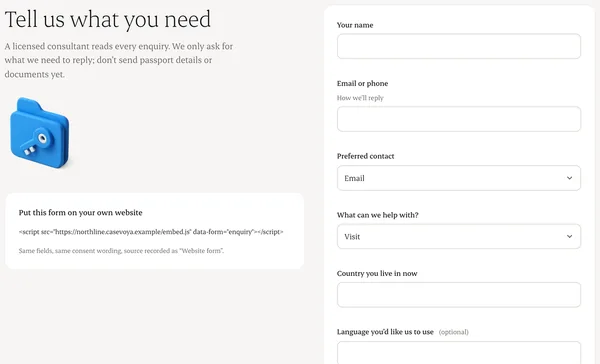
Choose the fields: name, preferred contact, broad service interest, current country and language.
Step 2: Write the consent wording
Separate consent for being contacted from consent for marketing.
Step 3: Copy the snippet
Paste it into your website, or share the hosted page link.
Step 4: Test it
Submit a test enquiry. It appears in Pipeline with its source.
Written from the Casevoya product specification (CRM-01). Screens and wording may change before launch.