

Step 1: Set availability
Each consultant sets working hours, call length and the buffer between calls.
Step 2: Share a booking link
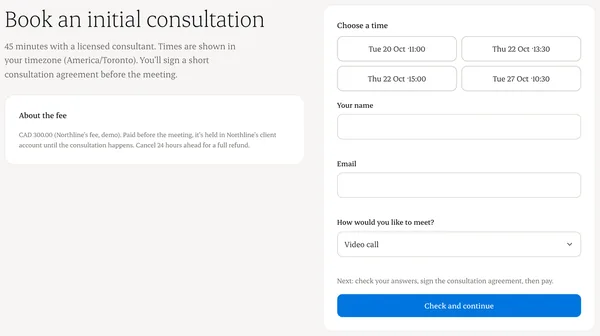
Clients pick a time in their own time zone. Two people can’t book the same slot.
Step 3: Reschedule
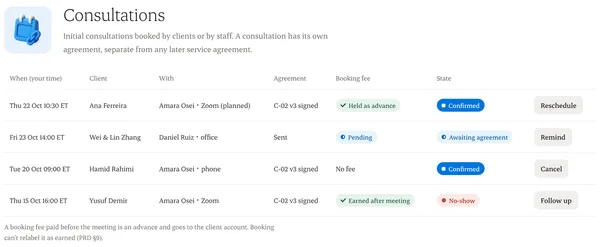
Open the appointment and choose a new time. Both sides get an update.
Step 4: Cancel
Cancel with a reason. The slot reopens straight away.
Written from the Casevoya product specification (CRM-03, CRM-04). Screens and wording may change before launch.