


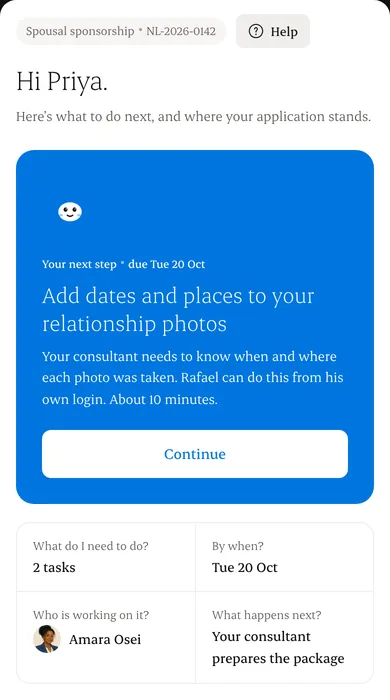
Step 1: Their next step
One task, with a due date and roughly how long it takes.
Step 2: Four plain answers
What do I need to do, by when, who is working on it, and what happens next.
Step 3: Where things stand
Stages from agreement to decision, in plain words. Updates are recorded by your firm; nothing here is a government decision.
Step 4: Documents
Uploaded and accepted are shown separately, so clients never mistake one for the other.
Step 5: Messages and payments
The latest note from you, and anything they owe, with your firm named as the payee.
Written from the Casevoya product specification (DESIGN §8 portal home). Screens and wording may change before launch.