

Step 1: Open Settings, then Team
Choose the consultant whose licence you’re adding.
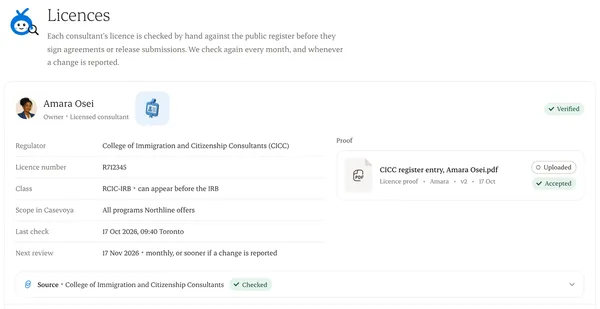
Step 2: Enter the credential
Regulator, licence number, the category or scope they’re authorized for, and the date of the last check.
Step 3: Attach evidence
Upload a screenshot or letter from the regulator’s public register, with the date you checked it.
Step 4: Send for verification
Someone with the owner role confirms it. The consultant can’t verify their own licence.
Step 5: Set a review date
We remind you before it’s due, so a lapsed licence doesn’t surprise you.
Written from the Casevoya product specification (ORG-03, ORG-04, ORG-05). Screens and wording may change before launch.