
Step 1: Receive a request
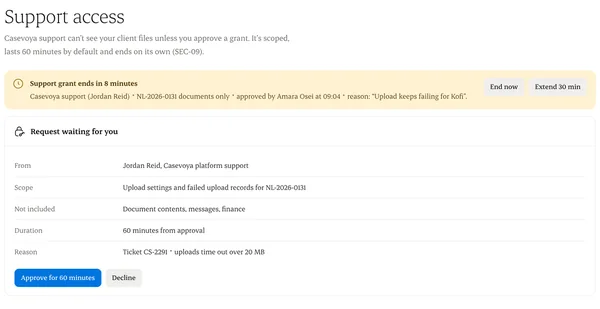
Support asks for access to a specific matter or record set, with a reason.
Step 2: Approve it
Choose how long. The default is 60 minutes.
Step 3: See what happened
Every view during the session is logged and shown to you.
Step 4: Revoke early
End access at any time. It also ends automatically.
Written from the Casevoya product specification (SEC-09). Screens and wording may change before launch.