
Step 1: Create a quote
Scope, services, exclusions, fee structure, taxes, government fees, instalments, refund policy and expiry.
Step 2: Generate the agreement
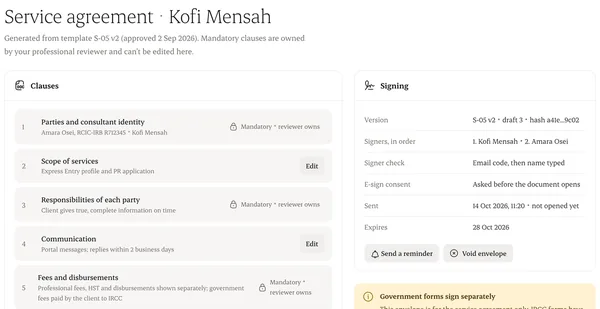
It uses your published template. Review the preview.
Step 3: Add signers
The client, and anyone else who must sign.
Step 4: Send
Signers get an email with a secure link. You see who has opened and signed.
Step 5: Signed copy
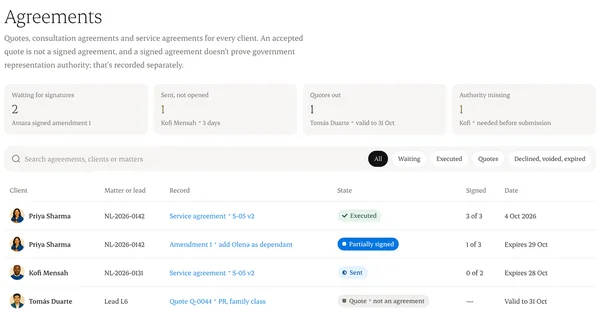
When everyone signs, the executed copy and completion certificate are filed in Agreements.
Written from the Casevoya product specification (AGR-01, AGR-02). Screens and wording may change before launch.