
Step 1: Credit an invoice
Use a credit note to reduce or cancel what the client owes.
Step 2: Refund a payment
Choose the payment and the amount. Partial refunds are fine. Refunding a payment is not the same as crediting an invoice.
Step 3: Track a dispute
If a client disputes a card payment, it appears with its own status and the evidence you send.
Step 4: Client view
Clients see “Refund on its way” with a typical timeframe, then “Refunded”.
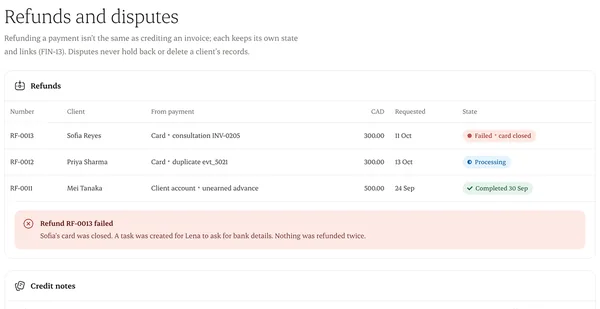
Written from the Casevoya product specification (FIN-07, FIN-13). Screens and wording may change before launch.