
Step 1: Open Billing on the matter
Choose Record payment.
Step 2: Enter the details
Amount, date, bank reference and which account received it.
Step 3: Attach proof
Add the bank statement line or remittance note.
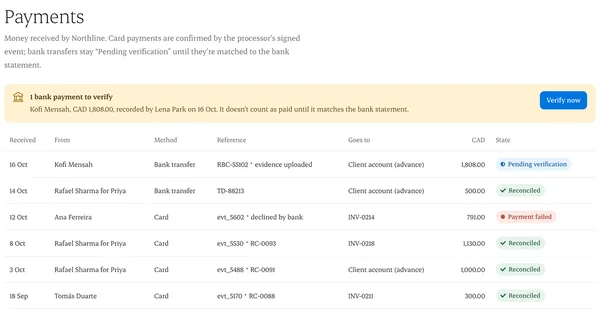
Step 4: It stays pending
The payment shows “Pending verification” until it’s matched in reconciliation.
Written from the Casevoya product specification (FIN-09). Screens and wording may change before launch.