

Step 1: Add the deadline with its source
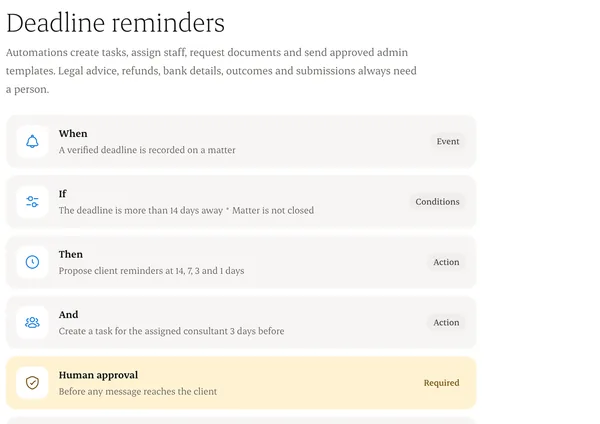
Date, time zone, and where it came from, like a government letter.
Step 2: See the proposed reminders
14, 7, 3 and 1 days before, as long as those dates are still in the future.
Step 3: Confirm or adjust
The responsible consultant confirms. Until then, the deadline shows “Unverified”.
Step 4: Short notice
If the deadline is very close, we skip the schedule and escalate straight away.
Written from the Casevoya product specification (OPS-02, OPS-03). Screens and wording may change before launch.