


Step 1: Go to Settings, then Team
Select Invite.
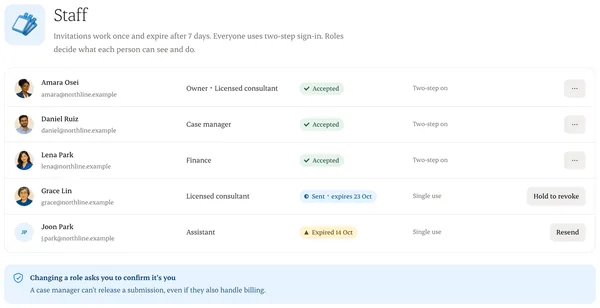
Step 2: Add their email and a role
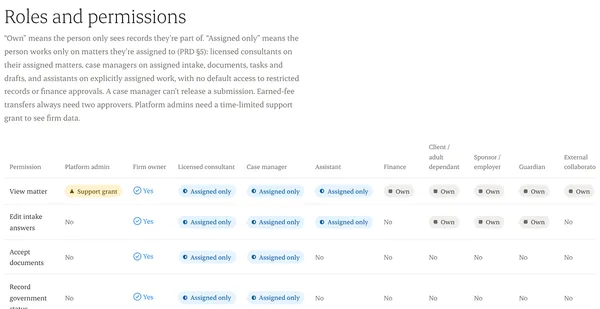
Owner, consultant, case manager, finance or reception. You can narrow access further by office or team.
Step 3: Send the invitation
It works once and expires after 7 days. If it expires, send a new one.
Step 4: They accept and set up two-step sign-in
Until they do, they can’t open any client record.
Step 5: Check the audit
Settings › Audit shows who invited whom and when.
Written from the Casevoya product specification (ORG-02, ORG-06, §5 roles). Screens and wording may change before launch.