
Step 1: Complete the closure checklist
Final invoice, client copy exported, and any open tasks resolved.
Step 2: Choose the retention policy
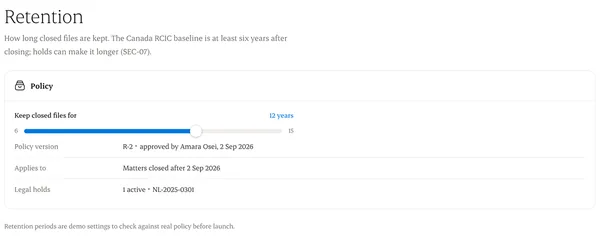
The date is calculated from your firm’s policy for that kind of matter.
Step 3: Close
Records become read-only, except controlled notes.
Step 4: Legal hold
If a hold applies, records aren’t deleted until it’s released.
Written from the Casevoya product specification (SEC-07). Screens and wording may change before launch.