
Step 1: Open Settings, then AI
Owners only.
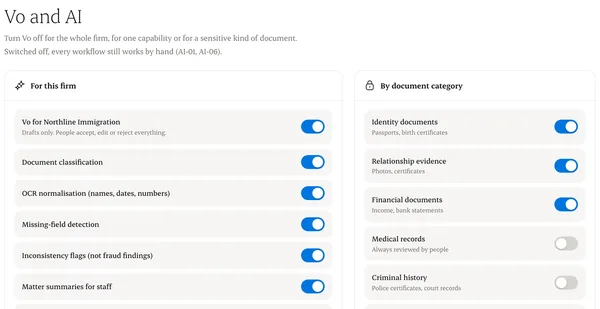
Step 2: Choose what’s on
Document classification, missing-field checks, matter summaries and reply drafts can each be turned on or off.
Step 3: Exclude sensitive categories
For example, medical or criminal records can be excluded entirely.
Step 4: Client choice
Clients can say no to AI help on their records. Their consultant sees that choice.
Written from the Casevoya product specification (AI-01, AI-06). Screens and wording may change before launch.