
Step 1: Find the draft
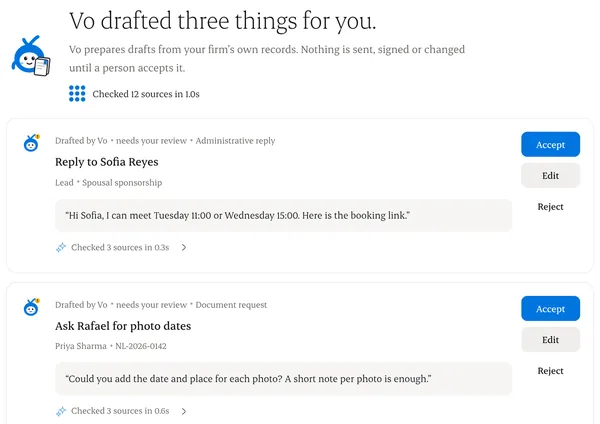
Vo drafts collects them, and each matter shows its own.
Step 2: Read the sources
Each draft links to the records it used.
Step 3: Accept, edit or reject
Accepted drafts become normal actions you send yourself. Rejections are logged.
Step 4: Consultant review
Anything that reads as legal advice needs the responsible consultant’s review.
Written from the Casevoya product specification (AI-03). Screens and wording may change before launch.