

Step 1: Open the task
In the portal, tap Continue on the next step, or Upload a document.
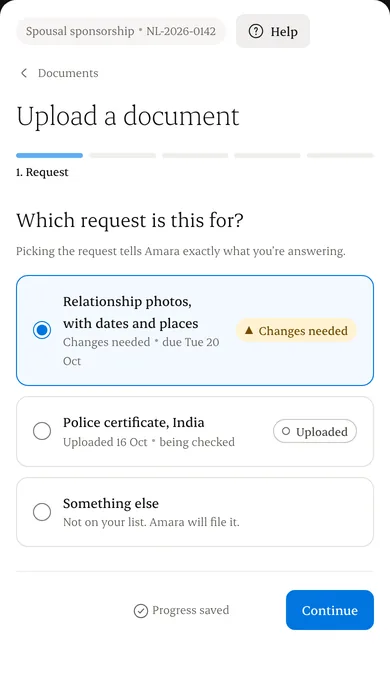
Step 2: Choose the request and whose document it is
This decides who can see it.
Step 3: Use camera
Photograph each page. Rotate, reorder or remove pages before sending.
Step 4: Check it’s readable
Zoom in. If every word is clear, send it.
Step 5: Wait for the check
We scan every file before anyone opens it. Then your consultant reviews it.
Written from the Casevoya product specification (DOC-03). Screens and wording may change before launch.