
Step 1: Open the document
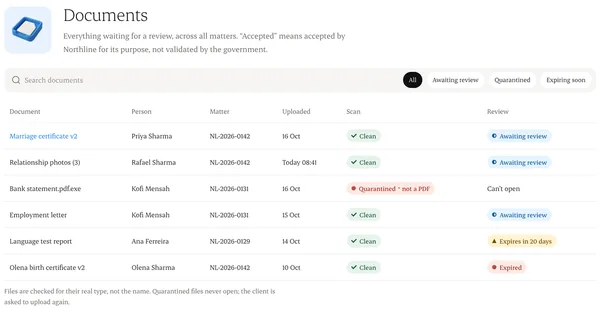
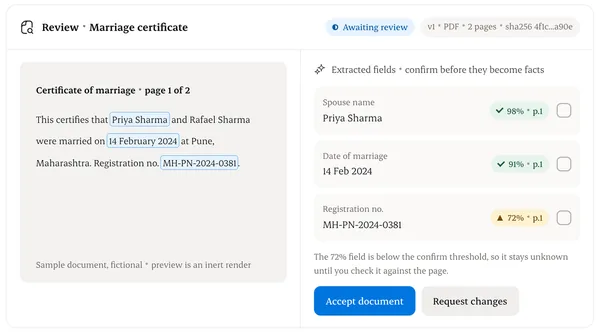
Matter › Documents. It opens in split view: the file on one side, details on the other.
Step 2: Accept
If it meets the request, choose Accept. The client sees “Accepted”.
Step 3: Request changes
Pick a reason and write what to fix in plain words. The client sees “Changes needed” and your note.
Step 4: Replace without losing history
A new upload becomes version 2. Version 1 stays, so earlier packages remain reproducible.
Written from the Casevoya product specification (DOC-04). Screens and wording may change before launch.