

Step 1: Open the matter, then Documents
Choose Request documents.
Step 2: Pick a checklist
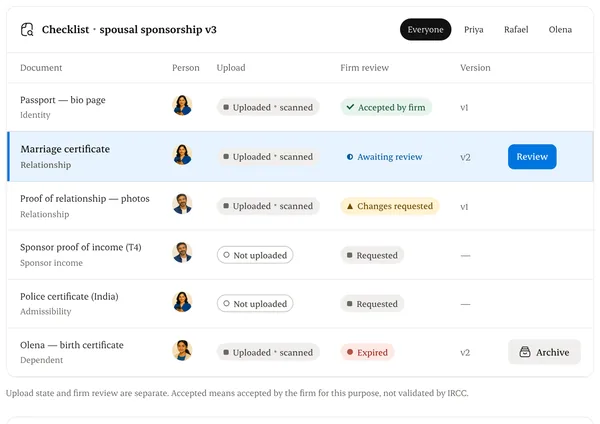
Start from your service template, or build one item by item.
Step 3: Assign each item to a person
The applicant, the sponsor or a dependant. Each person only sees their own requests.
Step 4: Set due dates and send
Reminders are proposed automatically. You confirm them.
Written from the Casevoya product specification (DOC-01, DOC-02). Screens and wording may change before launch.